
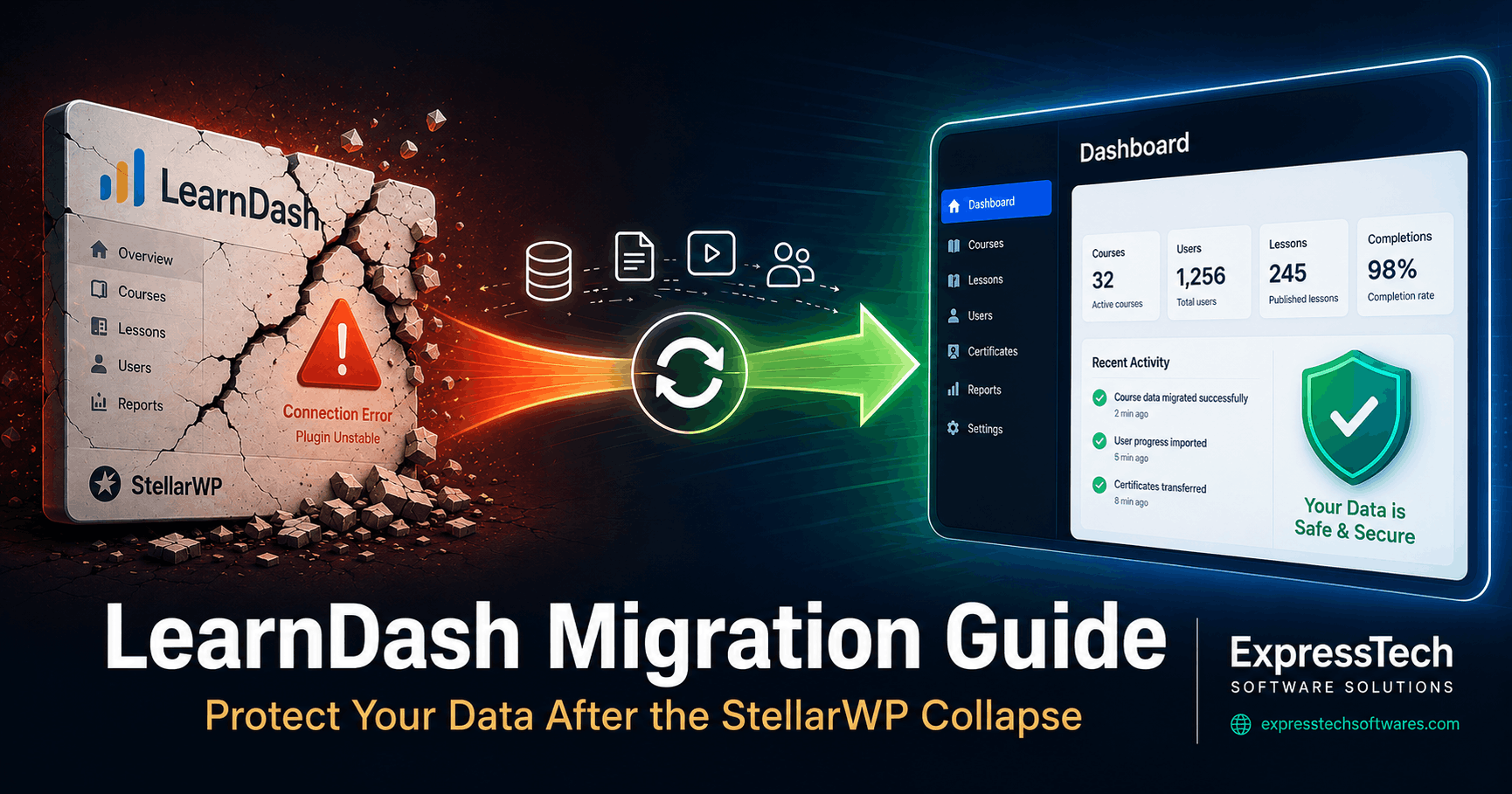
If you've tried visiting LearnDash.com recently, you already know something is wrong. The site now redirects to LiquidWeb. That's not a glitch — it's the visible result of one of the biggest shake-ups the WordPress LMS ecosystem has ever seen. And if you've lived through a platform shutdown before — like the Drupal end-of-life or Patreon's platform limitations — you know how quickly "we'll figure it out later" turns into a crisis.
In May 2026, LiquidWeb officially dissolved the StellarWP brand. A portfolio of beloved WordPress plugins — LearnDash, KadenceWP, GiveWP, MemberDash, SolidWP, Restrict Content Pro, Iconic, and The Events Calendar — was restructured into just four surviving products. The team that built and maintained LearnDash has largely been laid off or departed. The independent brand is gone.
If you've built your course business on LearnDash, this is not a drill. The plugin still works — for now — but the roadmap is uncertain, the support team is smaller, and the company behind it has already demonstrated its willingness to cut deeply when it needs to.
The question isn't if you should migrate. The question is how you migrate without losing everything you've built.
At ExpressTech Software Solutions, WordPress data migration is what we do every single day. In this guide, we'll walk you through everything you need to know to protect your course data, choose the right platform, and execute a migration without losing a single student record.
What Exactly Happened to StellarWP and LearnDash?
To understand the urgency, you need to understand the timeline.
LiquidWeb acquired LearnDash back in 2021 and folded it into their growing StellarWP umbrella alongside a suite of other popular WordPress plugins. For a few years, StellarWP had real momentum — acquiring, bundling, and cross-promoting across its portfolio.
Then things changed rapidly.
In October 2025, Nexcess — LiquidWeb's long-standing managed WordPress hosting brand — was fully absorbed into LiquidWeb and lost its independent identity. The following month, LiquidWeb laid off approximately 25% of the StellarWP team, roughly 36 people. Among those let go were LearnDash's Product Owner and GiveWP's Director of Customer Service — a combined sixteen years of institutional product knowledge, gone overnight.
By late 2025, key founders were also departing. Benjamin Ritner, founder of KadenceWP, left. Matt Cromwell, co-founder of GiveWP, gave notice. The WordPress community watched in real time as the people who actually built these products walked out the door.
Then came the April 2026 announcement. StellarWP was officially retired as a brand. Only four products survived the restructure: Kadence, LearnDash, The Events Calendar, and Give. Everything else was either absorbed or discontinued. MemberDash — StellarWP's membership plugin — was folded into LearnDash. SolidWP became "Kadence Security." Restrict Content Pro became "Kadence Memberships."
LearnDash still exists as a plugin. LiquidWeb has committed to critical security patches through April 2027. But the independent product team is gone, the brand identity is gone, and the product now sits inside a trimmed-down corporate portfolio being managed by a company whose recent actions haven't inspired confidence in the WordPress community.
This is the environment in which thousands of course creators now have to make a decision.
Why Your Course Data Is at Far Greater Risk Than You Think
Here's what most blog posts about this situation get wrong: they treat this as a plugin problem when it's actually a data problem.
Your courses are not just content. Inside your WordPress database, a LearnDash-powered site stores an intricate web of interconnected data:
- Course structures — custom post types with parent-child relationships between courses, lessons, and topics
- Quiz data — question banks, answer configurations, scoring logic, multiple quiz attempt records
- User progress — per-lesson completion status, quiz scores, certificate issuances, course enrollment dates
- Access rules — which users have access to which courses, often tied to payment or membership records
- Custom metadata — instructor assignments, drip content schedules, prerequisite chains
This data doesn't live in one tidy table. It's spread across dozens of database tables, serialized arrays, and custom post meta fields that only LearnDash knows how to interpret correctly.
When course creators attempt a DIY migration or rely entirely on a "one-click migrator," several things commonly go wrong:
- Student progress records get orphaned or overwritten
- Quiz attempt history is partially transferred, creating data inconsistencies
- Serialized data fields get corrupted during export/import if character encoding isn't handled correctly
- Enrollment records don't map correctly to the new platform's user system
- Course access rules fail silently, either locking out paying students or opening premium content to everyone
These aren't edge cases — they're the most common failure modes we see when clients come to us after a bad migration attempt. Fixing a corrupted migration is always harder, more expensive, and more stressful than doing it right the first time.
What Are Your Migration Options?
The good news is that you have solid choices. The right platform depends on your business model, your technical setup, and how deeply integrated your LearnDash installation is with other plugins.
Option 1: MemberPress Courses If you're already running MemberPress for memberships, this is the most seamless path. MemberPress has a built-in LearnDash migrator that handles courses, lessons, quizzes, user progress, and quiz attempts. It's a strong LMS with drag-and-drop course building, certifications, and an AI Course Generator. It's also independently owned, which matters right now.
Option 2: LifterLMS A robust, independently developed LMS with a strong reputation in the WordPress community. LifterLMS has been around since 2014 and has a dedicated team. It covers courses, quizzes, memberships, and certificates. Migration from LearnDash requires careful database mapping but is well-documented. ExpressTech has deep experience with LifterLMS — see our guide on why LifterLMS is a powerful choice for eLearning growth and our real-world LifterLMS import success story.
Option 3: TutorLMS A newer but fast-growing LMS plugin with a clean interface and competitive feature set. Good for course creators who want a modern UX. Migration tooling is less mature, so professional support is advisable.
Option 4: Move Off WordPress Entirely Platforms like Teachable, Thinkific, or Kajabi offer hosted solutions with no server maintenance. The trade-off is less control, higher ongoing costs, and a more complex migration since you're moving from WordPress entirely. Student data portability can be limited on these platforms.
At ExpressTech Software, we are platform-agnostic. We don't recommend one LMS over another for commercial reasons — we recommend what's right for your specific business, data complexity, and technical environment. Our job is to get your data there cleanly, wherever "there" is. If you're evaluating membership plugins to pair with your new LMS, our detailed MemberPress vs Restrict Content Pro comparison (note: Restrict Content Pro has now been absorbed into Kadence as part of the StellarWP collapse) may help inform your decision.
The Technical Reality Nobody Talks About
One-click migration tools are a great starting point, but they're not the whole story.
LearnDash stores user progress data in a serialized format inside WordPress's wp_usermeta table. When this data is exported and re-imported incorrectly — even by well-meaning migration tools — the serialized strings can break. The result looks fine on the surface but fails when a student tries to resume a course or when an admin pulls a progress report.
Here's a simplified view of what a clean LearnDash migration actually involves:
Database-level mapping — identifying every LearnDash-specific table (wp_learndash_user_activity, wp_learndash_user_activity_meta, custom post types) and mapping them to the equivalent structure in the destination LMS.
User relationship preservation — ensuring every enrolled student maps correctly to their enrollment records, quiz attempts, and completion data in the new system. This is the same careful mapping process we use when handling membership data exports and imports from other platforms.
Serialized data handling — safely deserializing, transforming, and re-serializing progress data without corrupting PHP object structures.
Media and file migration — course videos, PDFs, and downloadable materials need to move with the content, not just the metadata.
Integration compatibility — if LearnDash was connected to payment gateways, membership plugins, email marketing tools, or CRMs, those connections need to be rebuilt or redirected in the new environment.
Post-migration validation — methodically testing a representative sample of user accounts, course completions, and quiz records to verify data integrity before going live.
This is not a task for a Friday afternoon. Done properly, it's a structured professional engagement with clear phases, checkpoints, and rollback plans.
How ExpressTech Software Handles LearnDash Migrations
We've been doing complex WordPress data migrations for years. Whether it's migrating WordPress bbPress forums to Circle.so, MembershipWorks to PaidMembershipsPro, or complex LMS content transfers, our process is always the same: structured, validated, and zero-data-loss. Here's how we approach LearnDash migrations specifically:
Phase 1: Discovery & Audit
We start by fully mapping your existing LearnDash installation — number of courses, lessons, quizzes, enrolled users, integrations, and any customizations. This audit tells us exactly what needs to move and flags anything that might complicate the process.
Phase 2: Staging Environment Setup
We never migrate on a live site. We replicate your current environment on a staging server, which gives us a safe sandbox to work in and keeps your live site fully operational throughout the process. Your students experience zero downtime.
Phase 3: Full Backup
Before a single line of data moves, we take a complete backup of your WordPress database and files. This is your safety net. If anything goes wrong, we restore and try again.
Phase 4: Migration Execution
Our technical team executes the migration using a combination of purpose-built scripts and manual database work. We handle all serialized data carefully, map every relationship, and transfer your media files alongside your content.
Phase 5: Quality Assurance & Validation
This is where we earn our reputation. We systematically test the migrated data — checking course structures, student progress records, quiz histories, enrollment records, and access rules. We don't declare a migration complete until we've confirmed data integrity across the full dataset.
Phase 6: Go-Live & Post-Migration Support
Once validation is complete, we flip the switch. We stay available for a defined post-migration support window to catch and resolve any issues that surface in production.
Frequently Asked Questions
Will my students lose their course progress?
Not when the migration is handled correctly. Preserving user progress is the most technically sensitive part of any LMS migration, and it's one of our core specialties. We map and validate every progress record before going live.
How long does a LearnDash migration typically take?
It depends on the size and complexity of your installation. A straightforward site with a few courses and a few hundred students can be completed in 2–4 days. Large installations with thousands of users, complex quiz setups, and multiple integrations may take 1–2 weeks. We provide a timeline estimate after the initial discovery audit.
Do you support migrations to any LMS platform?
Yes. We've worked with MemberPress Courses, LifterLMS, TutorLMS, and other platforms. We're also experienced with migrations that move course content off WordPress entirely.
What if my site has custom add-ons or third-party integrations?
Custom integrations are common in LearnDash setups, and we account for them in the discovery phase. We document every integration, assess compatibility with the target platform, and plan accordingly.
What if something goes wrong during the migration?
That's what the staging environment and full backup are for. Your live site is never touched until we've confirmed the migration is clean. If an issue surfaces, we have a complete restore point to fall back on.
Do you offer a free consultation?
Yes. Book a free 30-minute discovery call with our team and we'll give you an honest assessment of your migration complexity and what it would take to do it right.
The Clock Is Ticking — Here's What to Do Right Now
LiquidWeb has committed to security patches for LearnDash through April 2027. That sounds like a year of breathing room, but don't let it lull you into complacency.
The real risk isn't a sudden plugin shutdown. It's the slow erosion of support quality, the stalling of the development roadmap, and the moment a critical compatibility issue hits WordPress core or PHP and there's no one with deep product knowledge left to fix it quickly.
The course creators who will come out of this strongest are the ones who plan their migration now, choose the right platform deliberately, and execute the move with professional help rather than scrambling when something breaks. We've seen this play out before — course creators and community owners who waited too long during the Drupal end-of-life faced rushed migrations, data loss, and unnecessary downtime. Don't repeat that pattern.
Here's your action plan:
- Audit your LearnDash installation — know what you have before you decide where you're going
- Choose your target platform based on your business model, not just what's easiest to migrate to
- Don't attempt a self-migration on your live site — use a staging environment
- Get professional help if you have more than 200 enrolled students, custom integrations, or complex quiz setups
At ExpressTech Software Solutions, we specialize in exactly this kind of high-stakes WordPress data migration. We've helped businesses move complex WordPress data without losing a record, and we're ready to help you do the same.
Ready to Migrate? Let's Talk.
Don't leave your course business — and your students' data — on an uncertain foundation.
Book a free 30-minute migration consultation with the ExpressTech team today. We'll assess your LearnDash setup, answer your questions, and give you a clear picture of what a safe, clean migration looks like for your specific situation. And if you're thinking about connecting your new LMS to a Discord community, we've built that too — check out our LifterLMS + Discord sync integration for a taste of what's possible.

The #1 WordPress & Woo agency
Disclaimer: This article is intended for informational purposes. Plugin and platform details are accurate as of May 2026. We recommend verifying current product statuses directly with vendors before making migration decisions.